Remote For Samsung Smart TV
ControllaTVTools
4.31.42K Reviews
- Version
- 1.38
- Installs
- 10.00M
- Age Rating
- Everyone
Screenshots
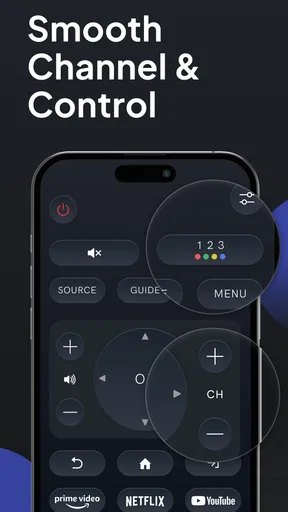
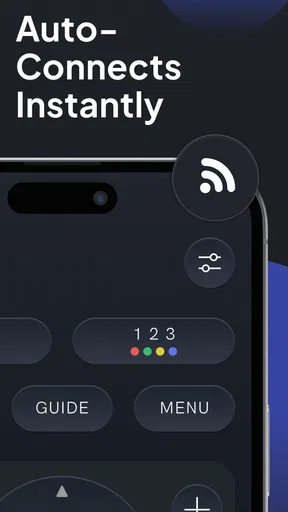
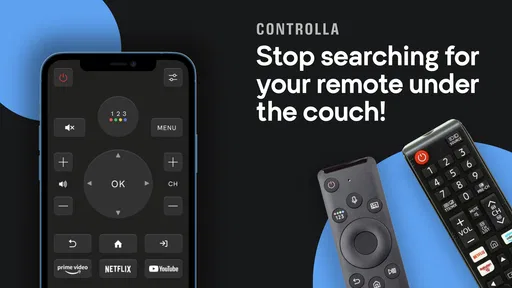
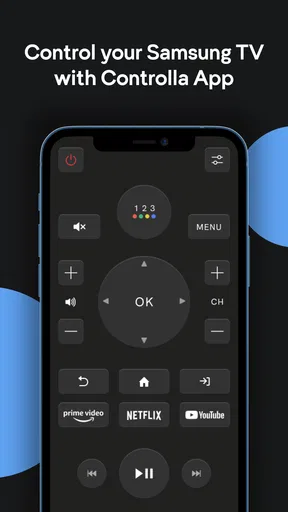
Our Review of Remote For Samsung Smart TV
 Analysis by Appyee
Ever found yourself frantically searching for the TV remote between couch cushions only to realize it’s nowhere to be found? Yeah, we’ve all been there. Enter the Remote For Samsung Smart TV app, a nifty little solution that turns your mobile device into a universal remote. It's like having a magic wand for your TV, and trust me, it’s a game-changer.
Getting Started with Remote For Samsung Smart TV
Getting the Remote For Samsung Smart TV app up and running is as easy as pie. First things first, you need to download it from either the Google Play Store for Android users or the App Store for iOS fans. Once installed, it connects to your TV via Wi-Fi, so make sure both your TV and phone are on the same network. No more hunting for batteries or pointing the remote in a million directions to get it to work. It's all about smooth sailing from here.
Features That Make Life Easier
This app is packed with features that make it more than just a remote control. One of my favorites is the voice command functionality. Imagine telling your TV to change the channel or adjust the volume without lifting a finger. It’s like living in the future!
"Hey, Samsung, play my favorite show!"
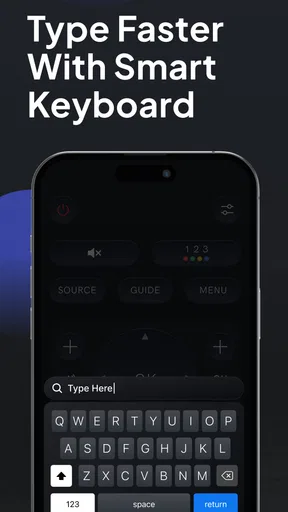
Another standout feature is the touchpad control. Swiping and tapping on your phone screen to navigate through menus feels intuitive and modern. Plus, the app supports a keyboard feature, which is a lifesaver when you’re typing in those long, annoying passwords or searching for a specific movie title.
Design and Usability
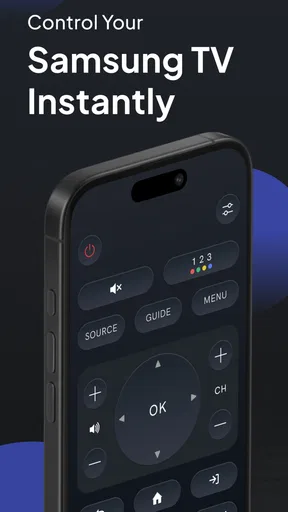
The app sports a sleek and user-friendly interface. It’s not cluttered with unnecessary buttons, which makes it super easy to navigate. The buttons are large enough to prevent any accidental taps, and the overall design is pleasing to the eye. It’s like the app designers knew exactly what we needed.
One thing worth mentioning is the customization options. You can personalize your remote layout and even add shortcuts for quick access. This makes the app not only functional but also adaptable to your personal preferences.
Performance and Connectivity
In terms of performance, the Remote For Samsung Smart TV app is pretty solid. The connection between the app and the TV is usually seamless, with minimal lag, so you can expect real-time responses when you’re navigating through channels or adjusting settings. However, it is crucial to have a stable Wi-Fi connection to keep things running smoothly.
One minor hiccup I noticed is that sometimes, the app might struggle to reconnect if your Wi-Fi network is unstable. But then again, no app is perfect, right?
Final Thoughts
All in all, the Remote For Samsung Smart TV app is a must-have for anyone with a Samsung Smart TV. It’s convenient, efficient, and adds a touch of modernity to your TV-watching experience. Whether you’re tired of losing your remote or just looking for a smarter way to control your TV, this app has got you covered.
So, if you haven’t tried it yet, give it a whirl. You might just find it’s the best thing since sliced bread. And who knows, you might even start wondering how you ever lived without it!
Verdict
Strengths of Remote For Samsung Smart TV
- Easy setup with intuitive interface.
- Supports multiple Samsung TV models.
- Quick access to volume and channels.
- Customizable remote layout options.
- Works smoothly without noticeable lag.
Limitations of Remote For Samsung Smart TV
- Ads can be intrusive at times.
- Limited features on free version.
- Compatibility issues with older TVs.
- Occasional connection drops reported.
- Requires stable Wi-Fi for optimal use.
Similar Picks in This Category
View All
Google LLC4.0

Gboard - the Google Keyboard
Google LLC4.5

Google Play services
Google LLC4.3

Google Play Store
Google LLC4.9

Files by Google
Google LLC4.5

SHAREit: Transfer, Share Files
Smart Media4U Technology Pte.Ltd.4.3
Frequently Asked Questions
What features does the Remote for Samsung Smart TV app offer?
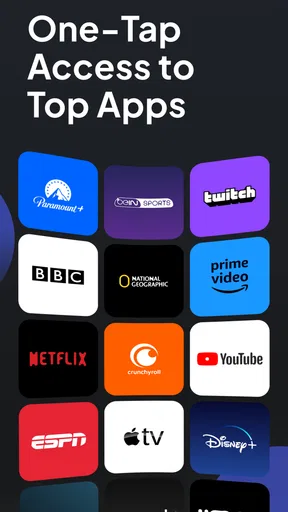
The Remote for Samsung Smart TV app provides users with the ability to control their Samsung Smart TV directly from their smartphone. Features include volume and channel controls, a virtual keyboard for easier text input, access to streaming services, and quick navigation through the TV’s menu. It also supports multiple TV models, ensuring compatibility.
Is the Remote for Samsung Smart TV app compatible with all Samsung TVs?
The app is designed to work with most Samsung Smart TVs, especially those manufactured in recent years. However, it is always advisable to check the app’s compatibility list on the download page or within the app description to ensure your specific TV model is supported.
Do I need to have my phone and TV on the same network for the app to work?
Yes, both your smartphone and Samsung Smart TV need to be connected to the same Wi-Fi network for the app to function properly. This connection allows the app to communicate with the TV seamlessly, enabling all control features.
Are there any in-app purchases or ads in the Remote for Samsung Smart TV app?
The app is free to download, but it may include in-app purchases or advertisements. These are typically designed to enhance functionality or provide an ad-free experience. It’s recommended to review the app’s details on the store page to understand any potential costs or ad placements.
How user-friendly is the Remote for Samsung Smart TV app for beginners?
The app is designed with a simple and intuitive interface, making it user-friendly for beginners. It features clear navigation and easy-to-understand controls. Additionally, there are often tutorials or guides available within the app to help new users get started and make the most out of the application.
